

The original setup steps below refer to Site Settings → Rocket Cast. For the current display-code location, use Customer Portal → Rocket Signage.
1
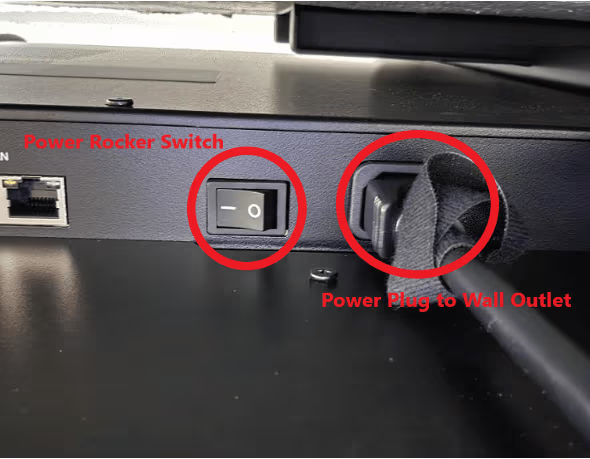
Install the Nio display on a wall or stand mount. Connect the included power cable, turn on the rocker switch at the bottom, and connect Ethernet there if using LAN.
2
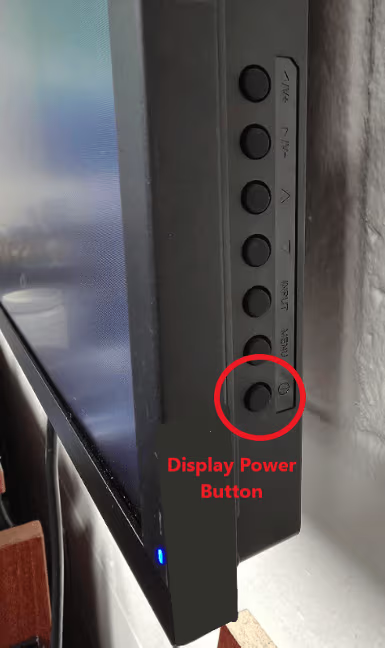
Press the display power button on the right side of the Nio.
3
4
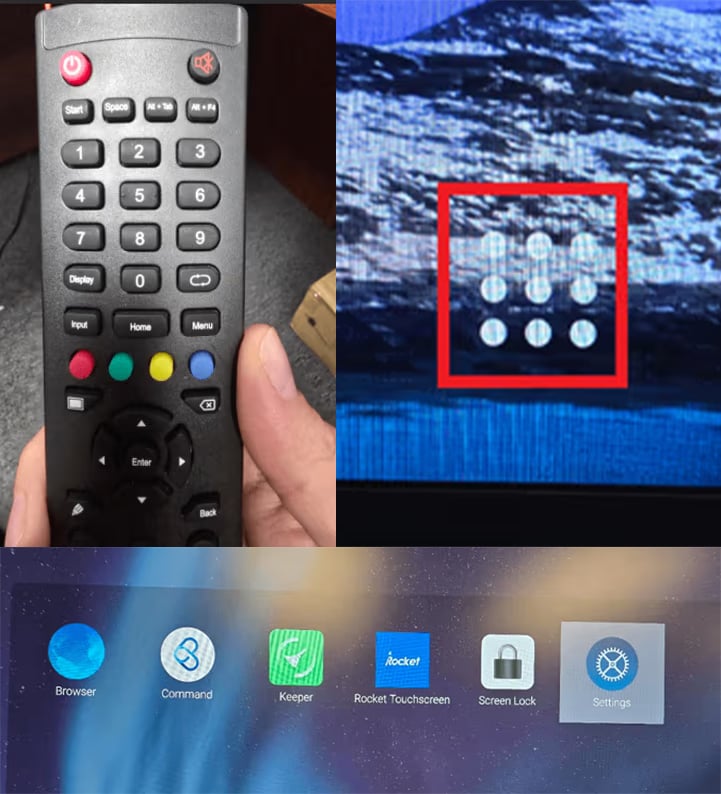
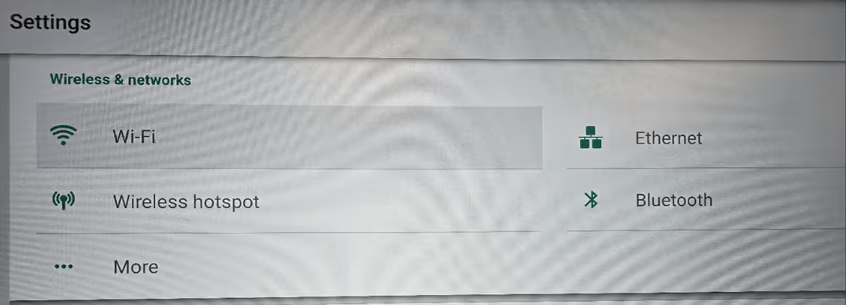
In Settings, select WiFi, choose the network, and enter its credentials. If using LAN, select Ethernet to confirm the connection.
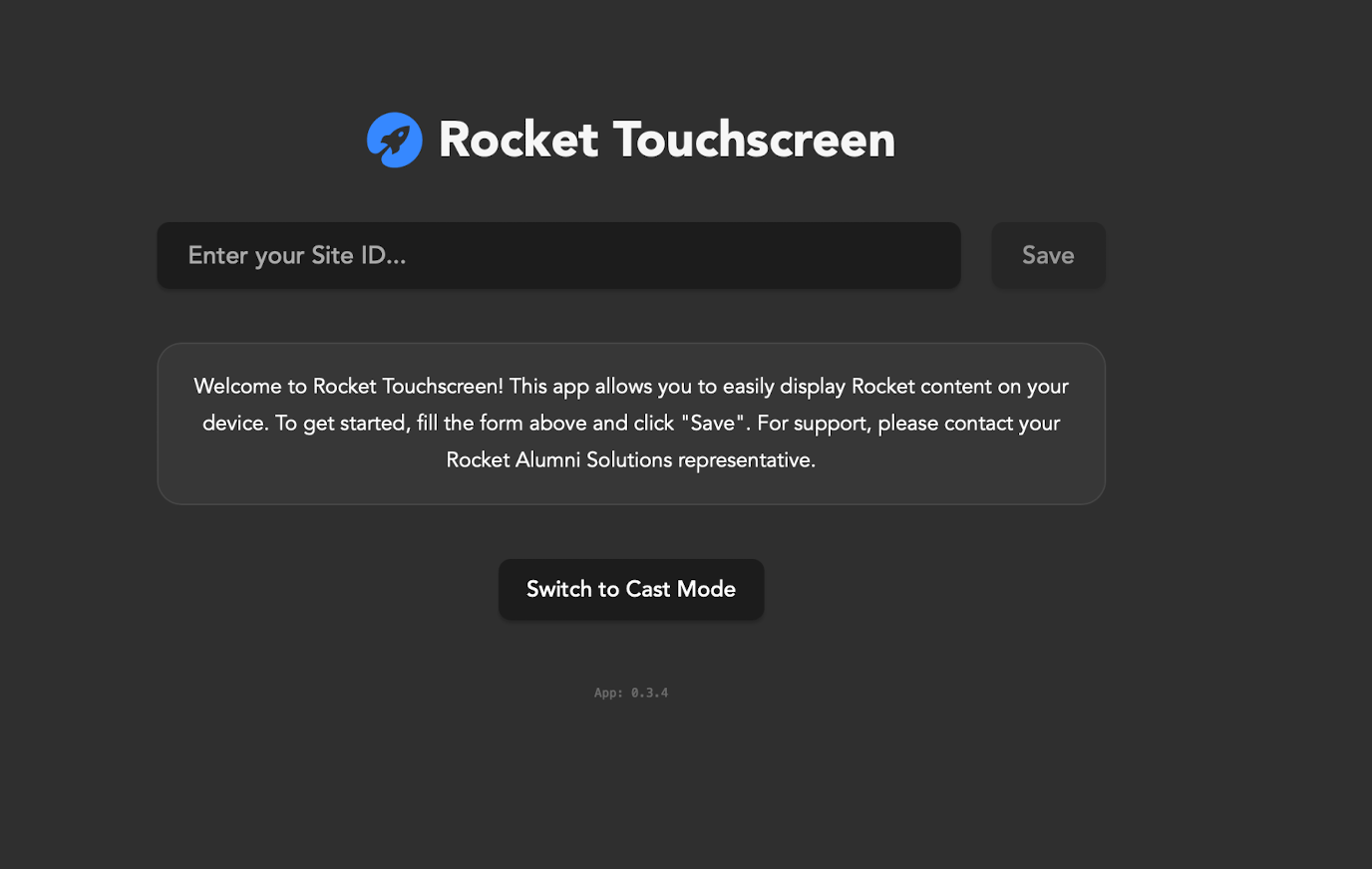
5
Switch to Cast Mode.
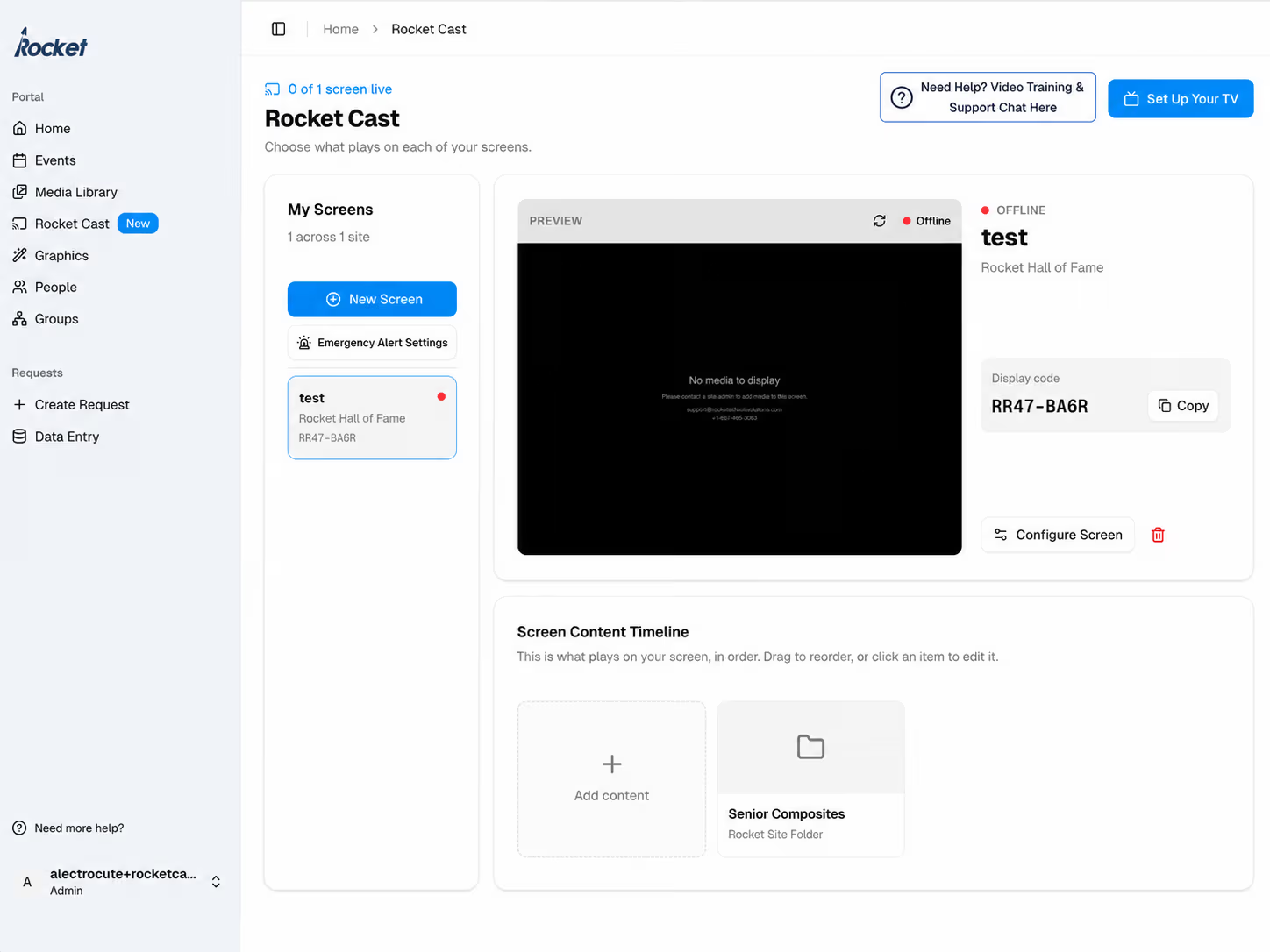
6
Enter the Screen Display Code. The code is in the Rocket site under Site Settings > Rocket Cast; select the screen to display on the Nio.